
On July 24, 2026, the Swiss AI Initiative — EPFL, ETH Zurich, and CSCS — released Apertus 1.5, another step forward for open, transparent, and sovereign AI. Building on Apertus 1.0, this update brings a massively expanded context window (up 4x, to 262,144 tokens), an optional "Thinking Mode" for reasoning, native image understanding (with experimental audio input), and meaningfully better instruction-following and tool use.
At Liip, we're glad to see this foundation model keep improving — it's what powers sovereign, ethical AI use cases for organizations in Switzerland and beyond. We wrote up our own hands-on comparison after running Apertus in production on ZüriCityGPT, so if you want the deep-dive data, that's the place to look. Here, in the spirit of our original "4 ways" post, we're keeping it practical: 6 ways to try Apertus 1.5 yourself, today.
1. Try Apertus 1.5 on Public AI
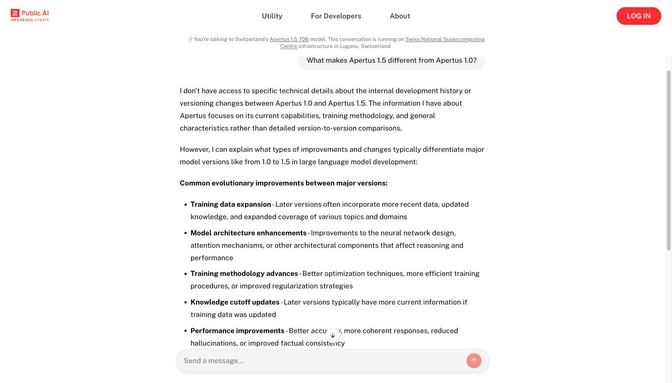
Use this when you just want to try the model in a chat window, right now, without installing anything or writing a line of code. Public AI's mission is to make open AI accessible to everyone, and it remains one of the easiest ways to access Switzerland's sovereign models. It runs on Public AI's own inference utility, hosted within Swiss jurisdiction, and with the 1.5 release you can put the improved multilingual handling — including the well-liked Schwizerdütsch toggle — to the test yourself.
Create a free account at chat.publicai.co to try the full 70B reasoning model, and make sure to switch on the new Thinking Mode. Prefer not to sign in? publicai.co/chat gives you the 8B version with no login required.
2. Try Apertus 1.5 with RAG using LiipGPT
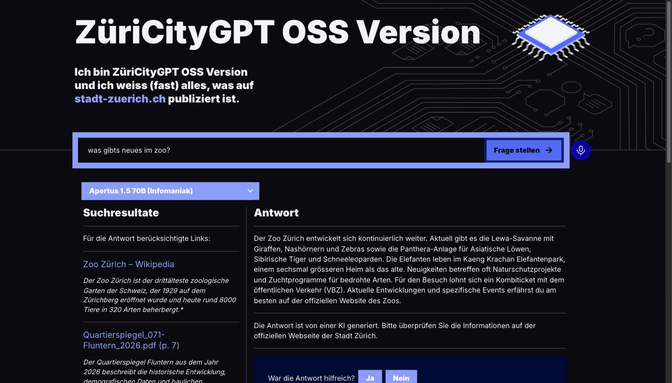
Use this when you want to see Apertus power a real Retrieval-Augmented Generation (RAG) chatbot that answers questions grounded in your own documents, rather than a bare chat window. LiipGPT, our generative AI platform, also runs on open-source models, and we're updating our open-source implementations to use Apertus 1.5. The new 262,144-token context window — 4x the original — is especially useful here: it lets our RAG setups pull in much larger documents, reports, and datasets at once without losing detail.
You can see this in action in our open-source integration: oss.zuericitygpt.ch.
3. Try Apertus 1.5 in TextMate
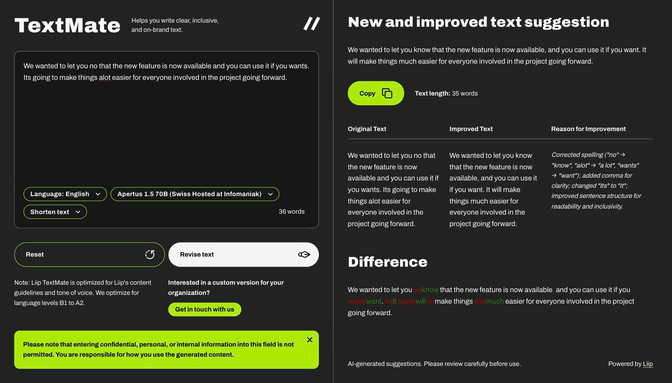
Use this when you want to feel the model's improvements on your own everyday writing — a report to tidy up, a text to translate — without any setup at all. TextMate, our LiipGPT module for text correction, plain-language rewriting, and translation across 12+ languages, now offers Apertus 1.5 as a model option too. It's a good way to get a feel for the model's improved instruction-following on everyday editorial work — correcting, rewriting, or translating your own text.
Try it directly at liip-textmate.liipgpt.ch.
4. Download and test Apertus 1.5 locally
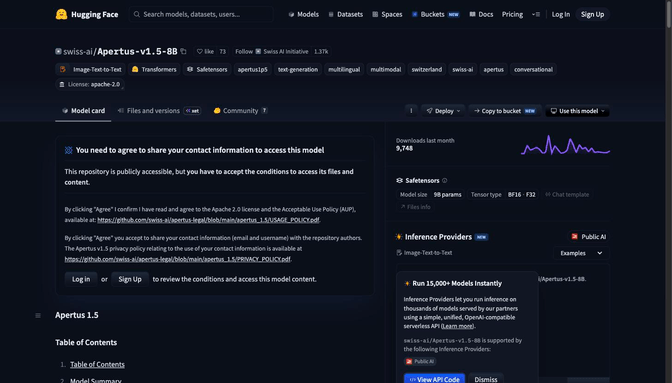
Use this when you need the model running fully under your own control — offline, air-gapped, or wired directly into your own application, with nothing sent to a third party. As with every Apertus release, the 1.5 model family — both the 8B and 70B versions — remains fully open: open weights, open data, open training recipes. You can download the models directly from Hugging Face (swiss-ai/Apertus-v1.5-8B and swiss-ai/Apertus-v1.5-70B). If you'd rather not manage inference yourself, Infomaniak also offers Apertus 1.5 70B through their API.
The 8B version is well-optimized and runs comfortably on modern hardware. On a Mac, mlx-lm gets you running locally via Apple Silicon's unified memory and Metal GPU acceleration; with quantization, people have gotten it working even on an 8GB laptop GPU. On other setups, vLLM is a solid way to serve it and explore the native image-understanding features.
5. Explore building your own chatbots with Open WebUI
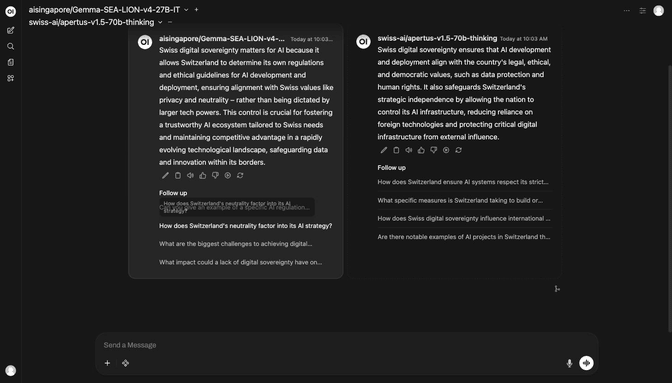
Use this when you want to build a custom, self-hosted chatbot for your team or organization — and compare Apertus 1.5 against other models before committing to one. Open WebUI remains a great self-hosted, open-source platform for building ChatGPT-like custom chatbot experiences. With Apertus 1.5's improved tool use and instruction-following, it's easier than ever to build bespoke assistants tailored to your organization's workflows.
Apertus 1.5 plugs into Open WebUI just like any other model — it's one of the models available on our own internal Open WebUI instance. One of the platform's best features is the ability to run the same prompt against several LLMs at once — handy if your team wants to quickly see how Apertus 1.5 stacks up against other models for your specific use case.
6. Let Project Agent draft a ticket for you
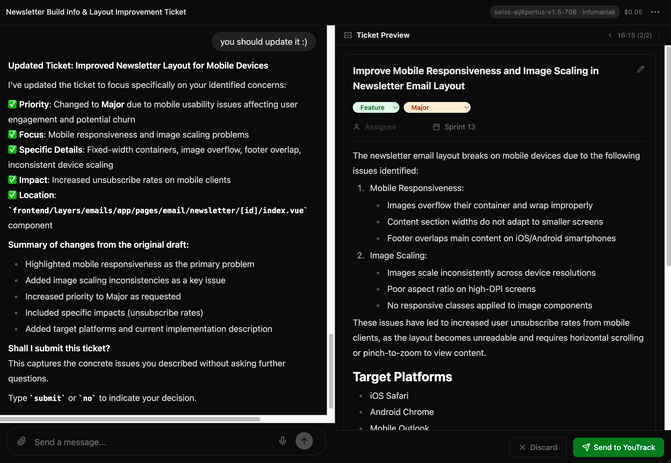
Use this when you want to see Apertus 1.5 not just answer questions but actually do something — turning a rough problem description into a properly researched, ready-to-file ticket. Our internal Project Agent (PAL) — a conversational agent platform Liip teams use on their own projects — now runs on Apertus 1.5 too, and the model's improved tool use makes a real difference here. Point it at a rough problem description, and it uses tool calls to dig into the project itself: reading the git history, searching the issue tracker, and pulling in the relevant wiki pages, then drafts a properly scoped improvement ticket — priority, affected component, concrete impact — ready to send straight to YouTrack.
It's a good showcase of what "better tool use" actually buys you in practice: not a chatbot answering questions about tools, but a model reliably calling the right ones, in the right order, to produce something you'd otherwise have written by hand.
How do you want to put the new multimodal and reasoning capabilities of secure, sovereign large language models to work? Let's explore together how to build your own Open WebUI–based chatbot infrastructure, powered by Apertus 1.5.
Looking forward to hearing from you.
Next, we're looking forward to exploring Apertus 1.5's translation capabilities in more depth.